
Part deposit
After the bending is completed, the finished part is deposited on a pallet or conveyor, or dropped into a basket.
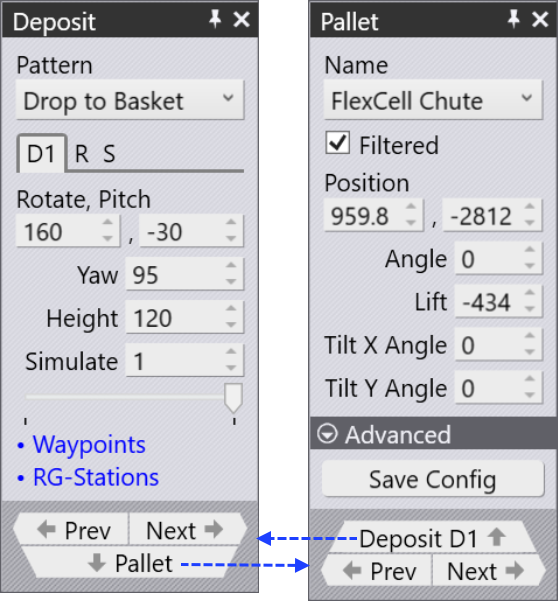
Panels
The above settings are controlled mainly from the Deposit panel, and also from the Pallet panel that is supporting the deposit. Here is how these panel are accessed:
-
Click on the deposit pallet (or conveyor, or basket) to open the Pallet panel and navigate to the Deposit D1.
-
Click twice on the cell like D1 on the bend navigator to open the Deposit panel.

-
Click on one of the finished parts lying on the deposit pallet to open the Deposit panel.
In addition, these two panels have navigation links ( ) leading to each other.
Pallet panel
Use this Pallet panel link to know the settings in detail.
Deposit panel
Use this Deposit panel link to know the settings in detail.