
RG-Stations panel
Re-Gripping Stations are referred to as RG-Stations in Flux. The RG-Station panel is used to configure the regripping stations of a bend cell machine.
To access the RG-Stations panel:
-
Click the RG-Stations link from Pickup panel, Bend panel, Regrip panel or Deposit panel.
-
Alternatively, click directly on a regripping station.
Depending on the bend operation and the positions of the stations, the RG-Stations panel displays an alphabet indicator (P, R1, #1, D, etc.) within the panel.
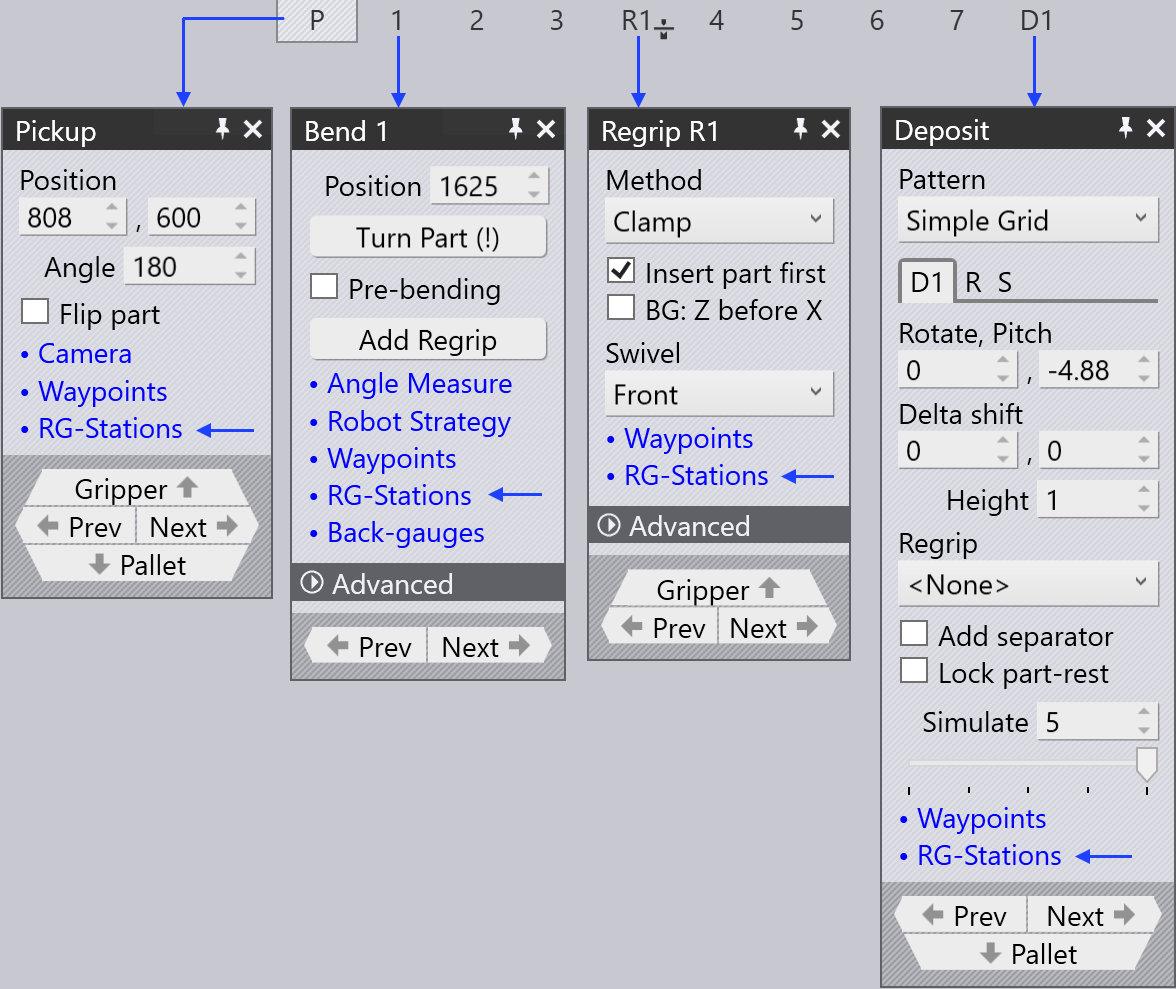
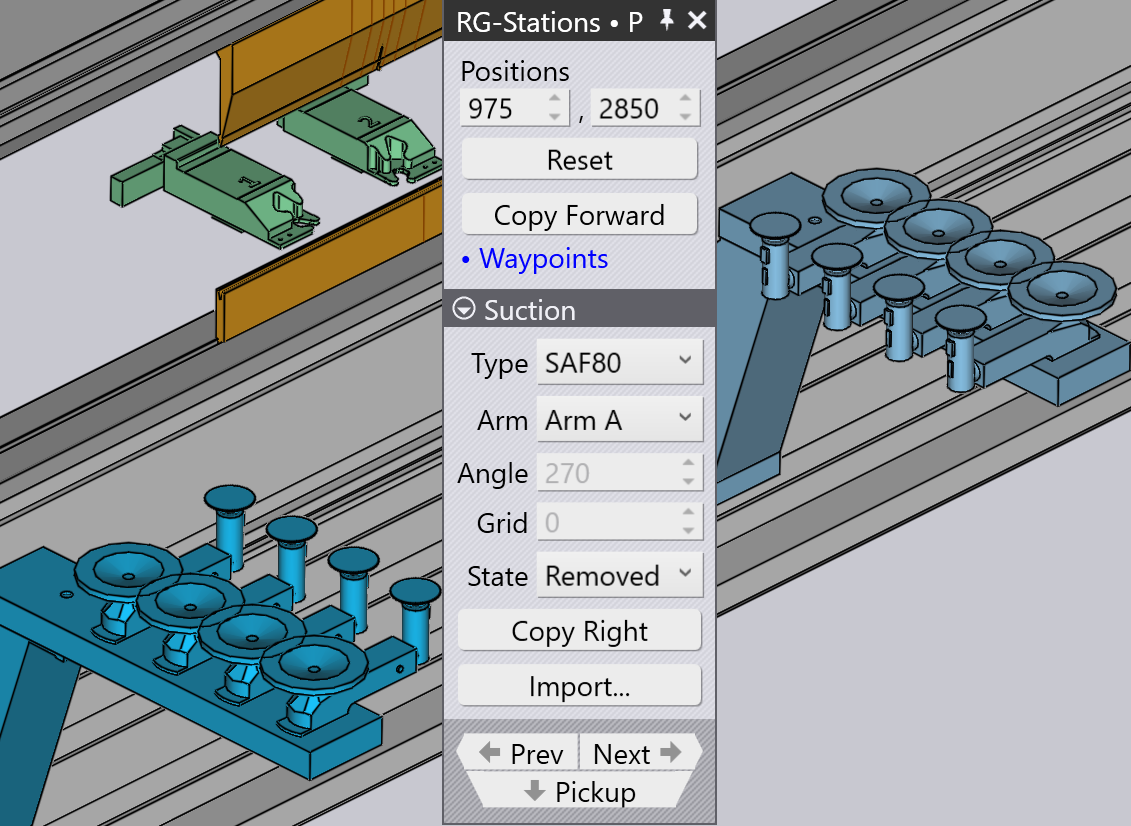
The Flip Part checkbox in Pickup panel is used to place the part upside down relative to the current position. Sometimes this is useful to avoid collisions between downward facing flanges and the regrip station arms. Flux will immediately recompute a new robot path when you flip the part.
| When a regripping station is not used, the panel looks simple since the part position cannot be controlled (it depends on the clamping position of the part between punch and die). |
-
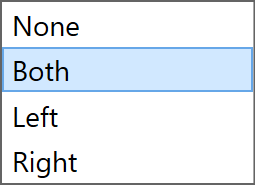
The Stations is used to select any one of the stations or to deactivate or activate both the stations.
-
Use the Positions settings to adjust the station positions on the machine bed rail. In the image shown below, on the left the stations are not placed under the part in the beginning.
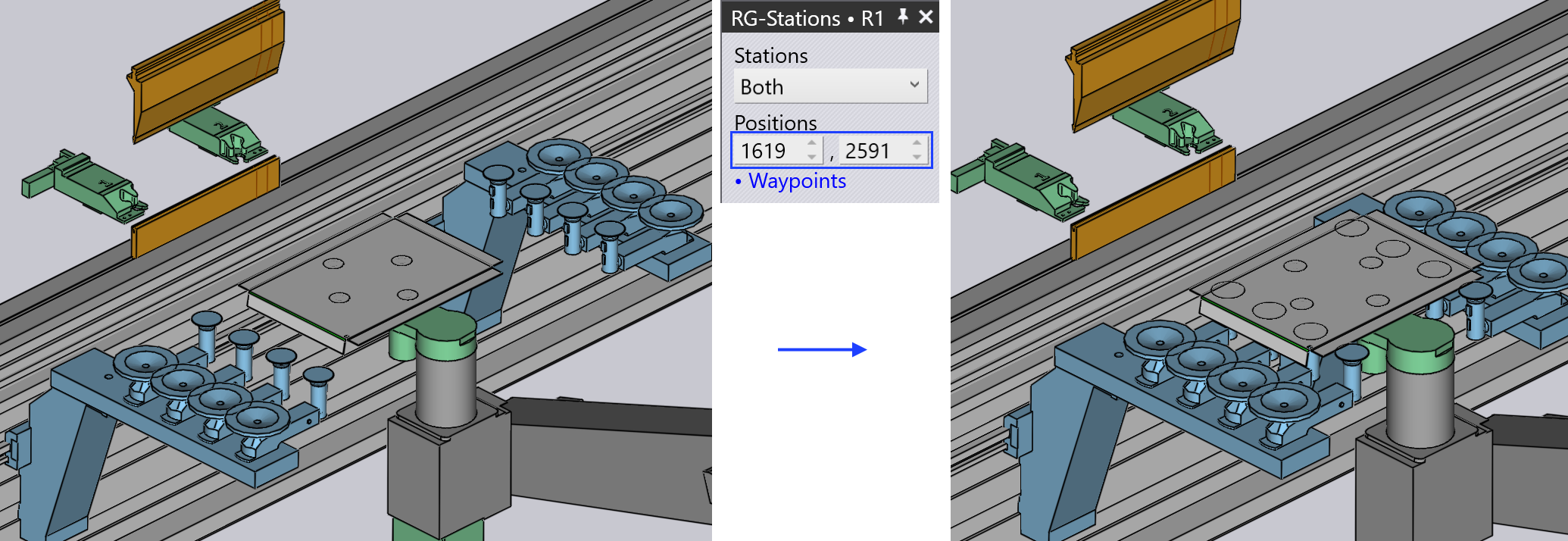
After changing the values in the Positions option, both stations are positioned so that the suction cups of the RG-Station are placed under the part.
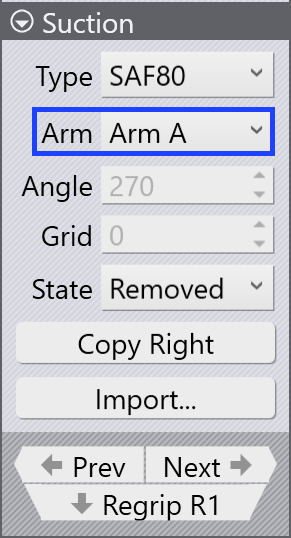
The settings in the Suction section are used to configure the suction arms.
-
Use the Type selector to change the suction cup type.
-
Use the Arm selector to select any one or all of the suction arms. When selected, each arm is identified by its label (A, B, C, etc.).
-
Use the Angle setting to rotate the arm around (in 5° steps).
-
Use the Grid setting to extend/retract the arm (in 10 mm steps).
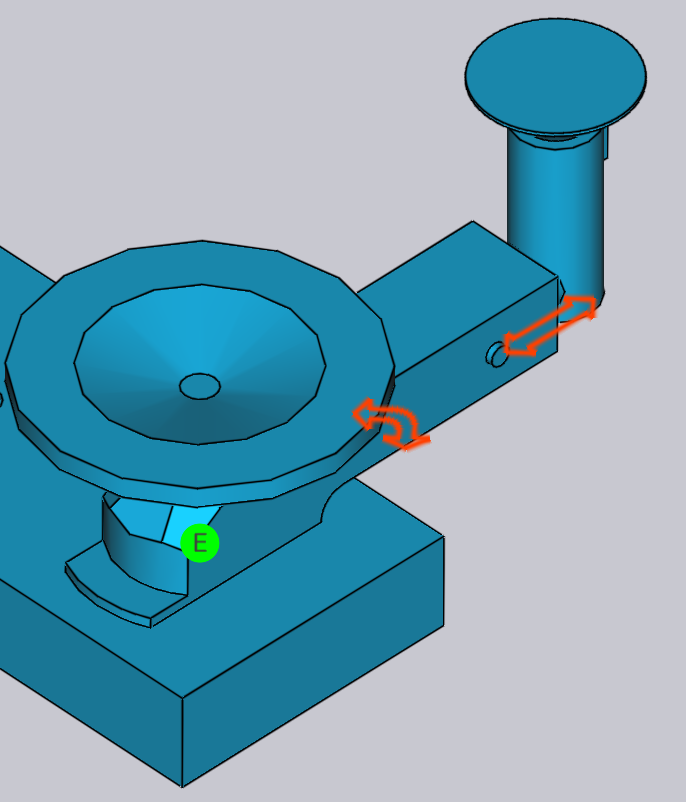
|
You can also interactively change the angle and grid by dragging the sliders individually. Hover over a suction arm to see the angle and grid sliders. When All arms are selected, it is not possible to change the angle and grid interactively. |
-
Select the suction arm’s operating state to off, on, or removed.
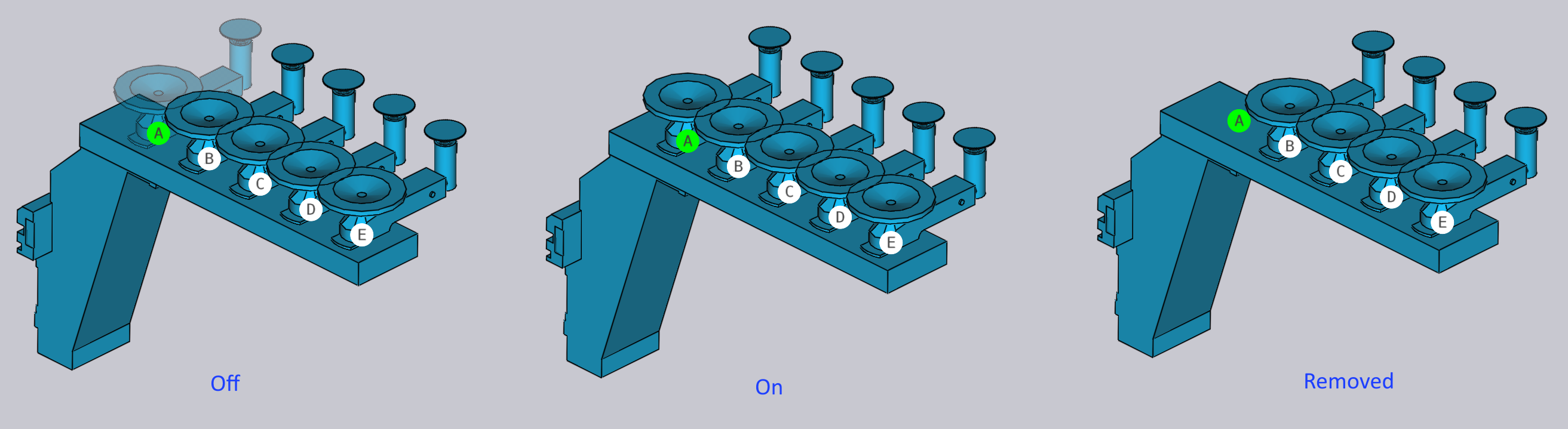
-
After completing the suction setting, you can use Copy Right option to use the same setup for the other side of the RG-Station.
-
The Prev and Next links are displayed if there are multiple regrip operations in this part, and are used to navigate between them.
-
The Regrip R1 link is used to edit the resting position of the part on the regrip stations.
As you reconfigure the regrip station, Flux checks for collisions with the part, the robot, the gripper in real time and updates the status indicators immediately.