Regrip with jaw
When bending smaller components, it might not be possible to hold the item securely with a suction gripper. Here, a mechanical jaw grip is used. With a jaw gripper, Flux can program a regrip operation.
To change a
To add a regrip operation using jaw gripper:
-
Click twice on the bend number in the navigator to open the Bend panel, and then click the Add Regrip button.
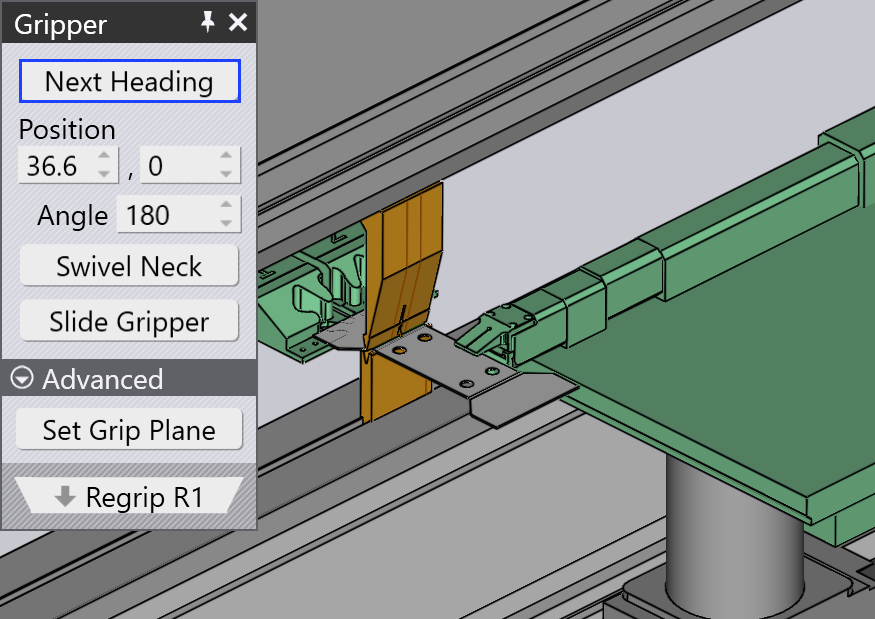
After a regrip operation is added, you can click on the R1 cell in the bend navigator, or click twice on the part at the regrip position.
The usage of Jaw Gripper is similar to Pickup from Dispenser.
-
Use the Next Heading button to rotate the gripper around to another side of the part (it rotates in 90° steps).
-
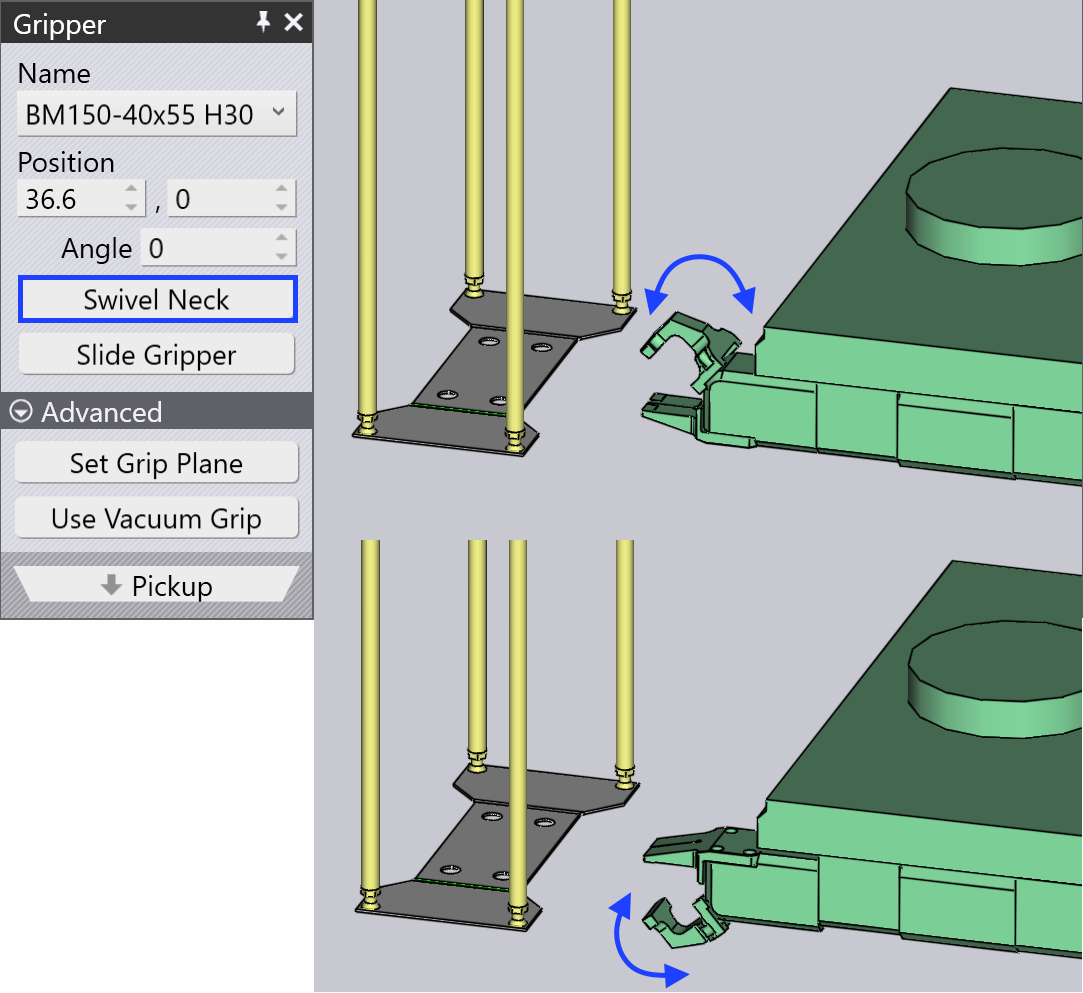
Swivel Neck option helps to rotate the Jaw Neck with 180° rotation.
-
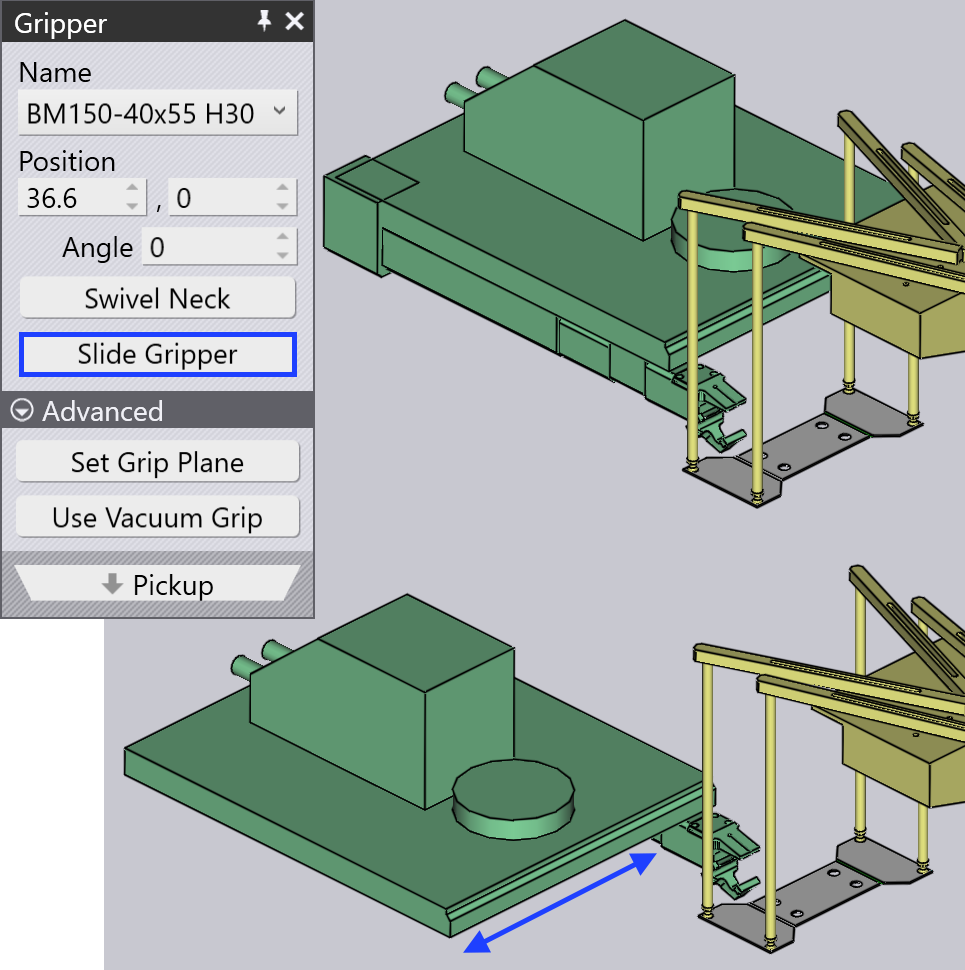
Slide Gripper option helps to slide the position of the Gripper so that we get the correct bending process.
As you make these changes, Flux RoboBend will compute a routing path for the gripper to go around the part and pick it up from the other side. All subsequent bends will also have their collision status updated immediately, so you can see whether the new regrip position you have chosen is acceptable.