
Changing the sequence
In order to modify the bending sequence, use these steps:
-
Click the Sequence
 icon from command bar or
press shortcut key S.
icon from command bar or
press shortcut key S. -
Click on the desired bending in the simulation in ascending order.
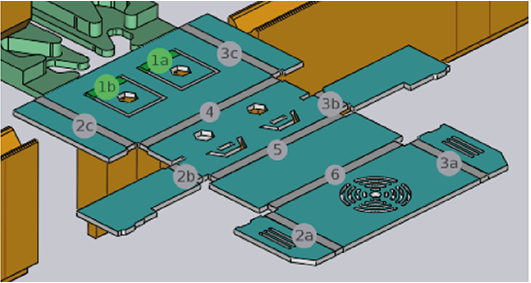
-
To exclude a bending line from the bending sequence, the already selected bending line number has to be clicked.
-
Using the mouse wheel to scroll up and down, the bending sequence can be simulated in bent state without hereby changing the bending sequence.
-
With Shift+Click or Shift+S, the bending sequence is defined in reverse order (from the last bend to the first).