
Deposit panel
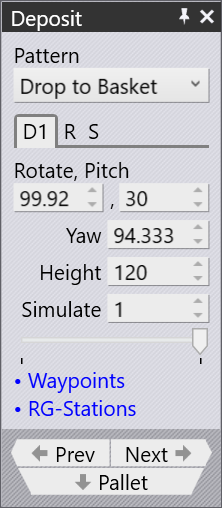
The Deposit panel manages the primary settings for placing a part onto a pallet, basket, or conveyor. Choose the most suitable pattern type for a given part. For example, the Drop to Basket pattern is usable only if you are using the mechanical gripper with a small part.
The Deposit panel has the following tabs and other options:
-
Deposit position (D1)
-
Repeat grid (R)
-
Deposit sequence (S)
The image below shows how the deposit tabs in the bend navigator appear:

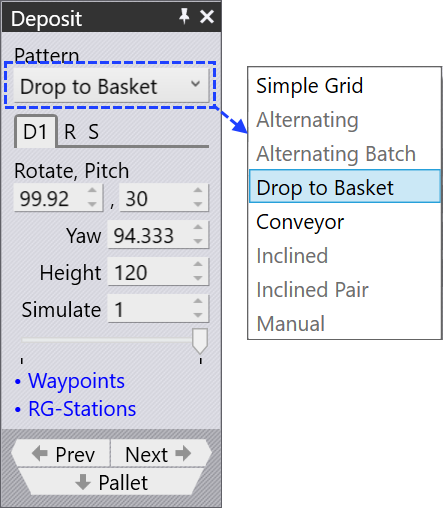
Pattern
-
Simple Grid: This pattern is the most commonly used, and just stacks parts in a rectangular grid on the pallet.
-
Drop to Basket: This pattern is used to drop small parts into a collection basket, using the mechanical gripper.
-
Conveyor: This pattern is used to deposit parts on a part conveyor. This option is essential when long thin parts are deposited on conveyor.
| When mechanical jaw gripper is used for medium size parts, all other pattern types will be disabled for selection, except for conveyor pattern. |
Tabs
The Deposit panel has the following tabs:
Each tab is explained in detail. See this Deposit Tabs link for detailed explanation.
Waypoints and Regrip Stations
-
The Waypoints link takes you to the Waypoints panel.
-
The RG-Stations link takes you to the Regrip Stations panel.